QA Bot | Running live QA from my phone
Dumpster Fire / Portable QA operations
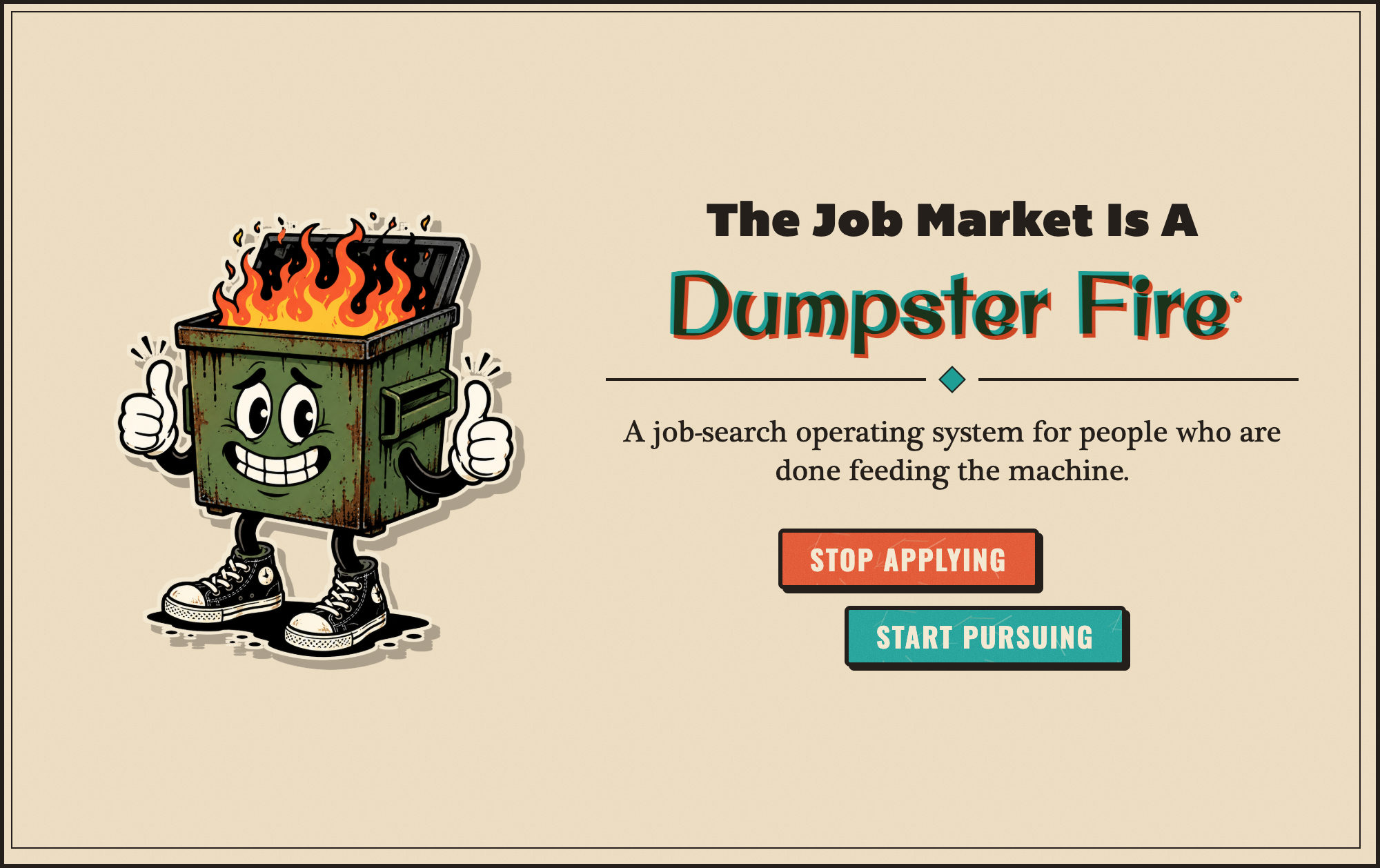
Run product QA from your phone.
I built a portable QA agent that turns in-product feedback into a triaged ticket, a managed backlog, a user conversation, and an agent-assisted code change. The entire operating loop can be directed from Telegram without giving the machine permission to ship on its own.
- Report
- Triage
- Backlog
- Agent choice
- Tested change
- Human approval
- User update
New report / JOB-042
Saved filter resets after refresh
- Type
- Bug
- Severity
- P2
- Area
- Search
- Reply
- Available
Claude task queued. Not started.
Needs review / JOB-042
2 files changed. Tests passed. Risk: low. Base commit is current.
Bug reports arrive everywhere. Useful context rarely arrives with them.
A user knows what felt broken. They usually do not know which route, request, build, device, or system event will explain it. By the time a report reaches the person who can act, the original context has been separated from the complaint.
The second problem is operational. A solo owner or small team does not need another dashboard to monitor. They need a fast way to decide what matters, keep a backlog, communicate with the person who reported it, and send the right work to the right coding agent.
The QA agent joins those two needs. It captures evidence inside the product, then turns Telegram into a mobile control plane for the complete ticket lifecycle.
The goal was not another bug form. The goal was a QA operation I could run from anywhere.
The report starts where the problem happened.
A persistent Feedback & Bug Reports control is available throughout Dumpster Fire. It opens over the current screen, so a user can describe what happened without leaving the task that exposed the problem.
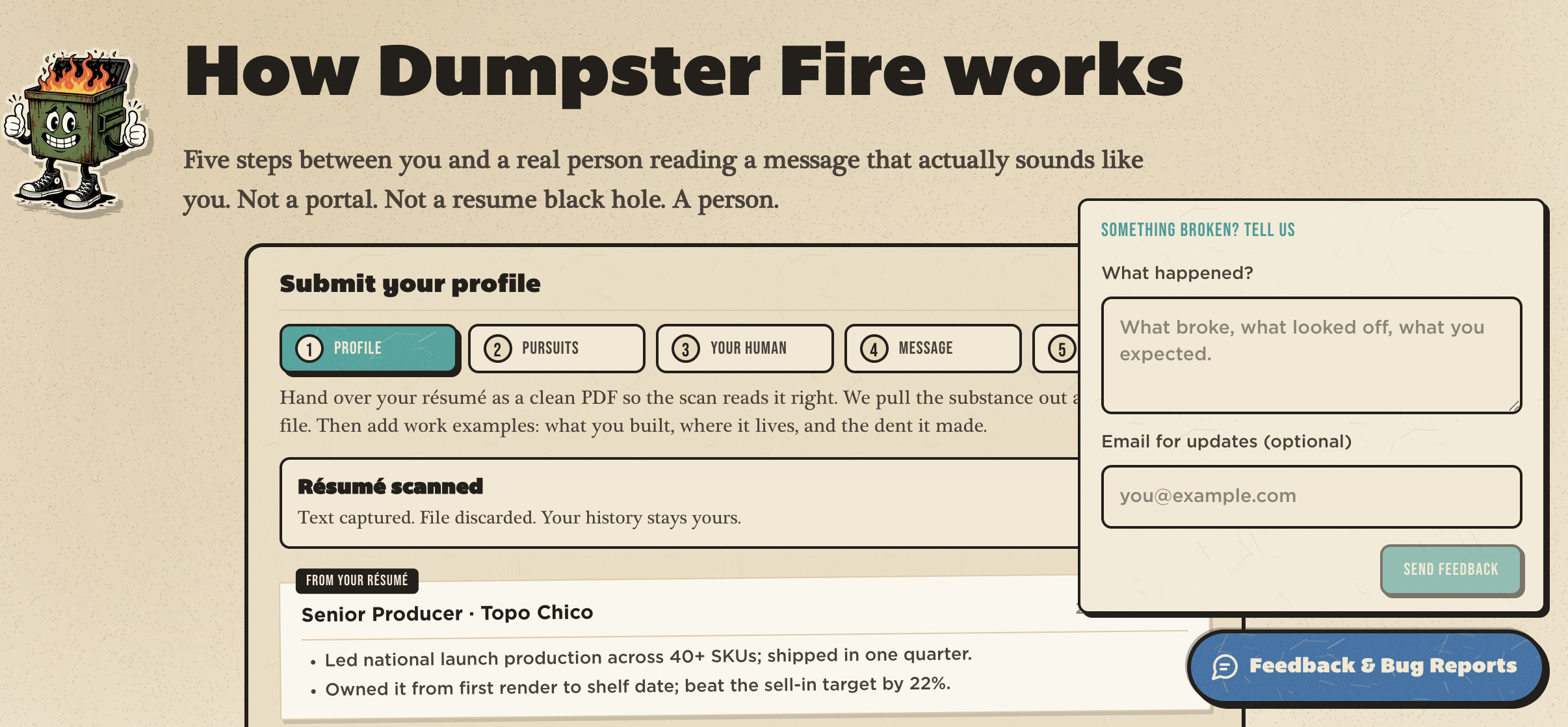
The user supplies
- What happened
- What they expected
- An optional email address for updates
The application adds
- Current route
- Browser and device class
- Viewport and application version
- Timestamp
- Up to eight recent sanitized API failure summaries, expiring after thirty minutes
Raw credentials, authorization values, uploaded files, and unrestricted browser logs are not included.
The system creates a record before it creates work.
- 01Feedback widgetBounded report contract
- 02Site proxyFive-second upstream ceiling
- 03QA relayValidation and deterministic triage
- 04PostgresTicket, event, message, approval, and audit records
- 05Telegram owner cardActionable from a phone
The site sends the report through a time-boxed Next.js proxy to a separately deployed QA relay. The relay validates the payload, derives a normalized ticket, writes the ticket and its first event to Postgres, and posts an owner card to Telegram.
Triage is deterministic. The relay classifies the report by type, estimates severity from P0 through P4, identifies the likely product area, summarizes the expected behavior, and suggests a next action. It recognizes bugs, data and integration failures, performance and accessibility issues, security and privacy concerns, account problems, responsive layout problems, feature ideas, duplicates, and known issues, among others.
Telegram is the control surface, not just the alert.
Every new ticket arrives as an actionable Telegram card. From a phone, the owner can understand the report, decide whether it belongs in the backlog, communicate with the reporter, route development work, or close the issue.
Common decisions are buttons. Deeper inspection is available through short commands. The database remains the source of truth while Telegram provides the fastest path to action.
Understand the report
/ticketsMost recent tickets/status JOB-001Type, severity, source, page, task, test result, risk, and reply delivery/timeline JOB-001Complete event history
Control the queue
/backlogList backlog items/backlog JOB-001Reopen one item and choose its route/approvalsPending decisionsButtonsBacklog, batch, fixed, close, duplicate, known issue, or ignore
Monitor the operation
/metricsCallbacks accepted, completed, failed, timed out, retried, and duplicated in the last 24 hoursReceiptsDurable progress messages for every task state
The backlog is active, not a graveyard.
Backlog ticket
One report, five owner choices
- Run with CodexCreates a task packet and queues work
- Run with ClaudeSame packet, different worker
- Add to review batchDiscussion only, nothing queued
- Mark fixedOpens the fixed follow-up path
- Close reportEnds the lifecycle with a record
Moving a report to backlog changes the available actions. The owner can reopen the ticket from Telegram and choose its development route at any time.
Batching is deliberately a discussion step. Marked tickets can be reviewed together in a coding-agent conversation, which returns a numbered decision list. Nothing is queued for implementation until the owner chooses the next action for each ticket.
The owner chooses the worker. The system verifies it is available.
Each installation can expose Codex, Claude, or both. Telegram only offers a provider when that worker is configured and connected. Selecting an agent creates a provider-specific task packet with the ticket, repository, project context, local rules, QA guidance, and expected evidence.
Before work begins, the worker fast-forwards to the current origin/main. The coding agent can inspect, edit, test, and summarize inside its isolated checkout, but it has no network access and no authority to commit, push, or deploy.
Run with Codex
- Own clean clone
- Own credentials and runtime
- Offered only when connected
Run with Claude
- Own clean clone
- Own credentials and runtime
- Offered only when connected
What stays consistent
Same ticket. Same project rules. Same repository boundary. Same evidence requirements. Same approval gate.
Codex and Claude never share a working directory. The workflow is provider-flexible without becoming process-fragmented.
The bot reports progress, not just completion.
- Queued
- Claimed
- Running
- Completed
- Blocked with the investigation summary intact
- Failed with evidence preserved
- Canceled only while still queued
Telegram receives durable receipts as a task is queued, claimed, started, blocked, failed, completed, rerun, discarded, or canceled. A running task is never force-canceled because it may already have changed the workspace.
The review card returns
- Result summary
- Changed files
- Test result
- Risk level
- Failure or blocking reason
- Exact base commit
- Next safe actions
If a worker stops after changing files, the patch is salvaged as a high-risk review item rather than silently discarded.
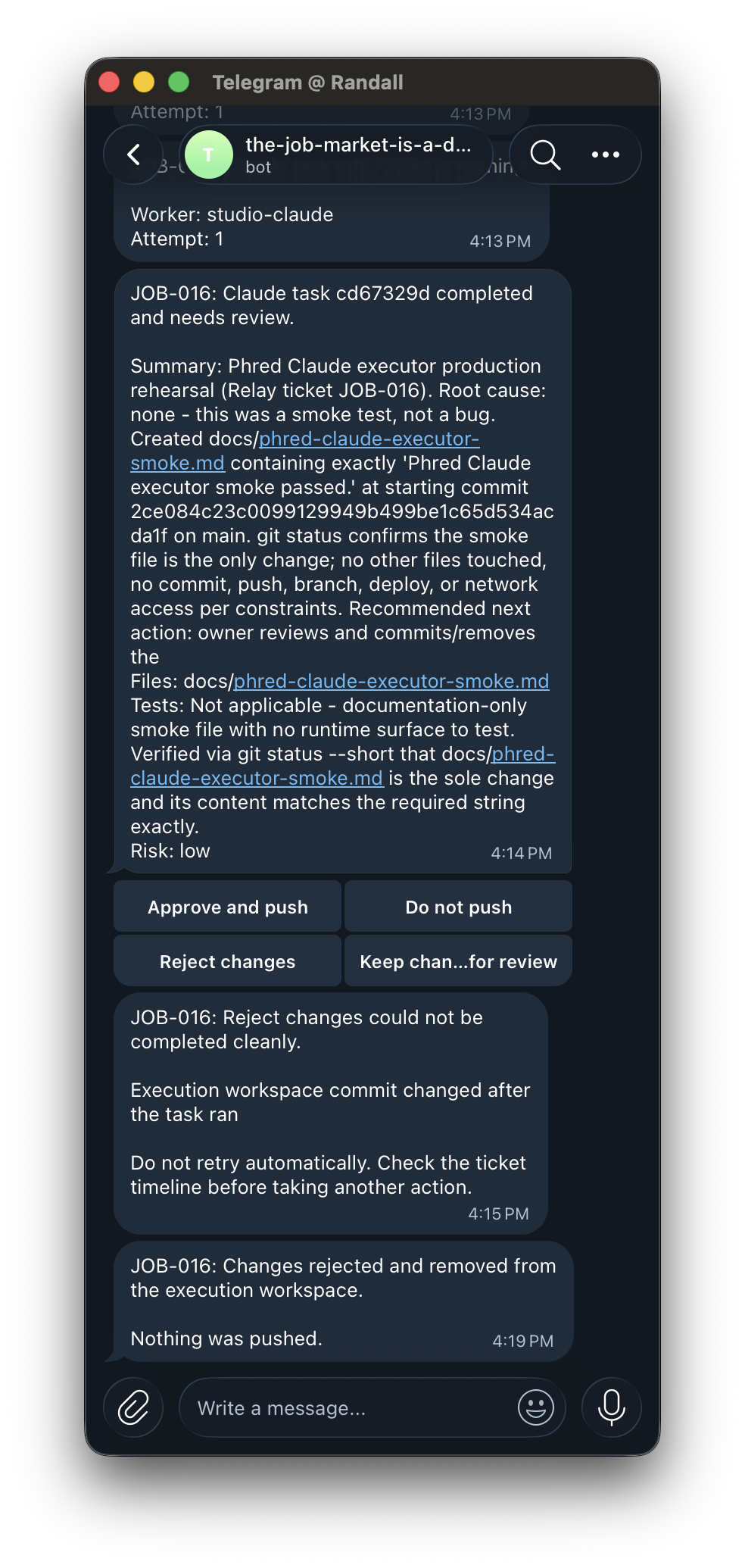
The agent can propose a fix. Only the owner can ship it.
- 01Approve and push
Applies the reviewed change through the controlled review worker.
- 02Re-run on latest main
Archives the original patch, cleans the workspace, synchronizes, and queues a new attempt.
- 03Discard patch
Archives the exact patch before removing the verified task-owned changes.
If main changed after the task ran, approval disappears. The stale patch can be archived and rerun, but it cannot be pushed as if it were current. If the workspace contains unrelated changes or cannot be verified cleanly, the action stops and returns an explanation.
Mobile control does not mean casual deployment. Every consequential action remains explicit.
The user conversation is part of the ticket, not an afterthought.
If the reporter provides an email address, the owner can compose an acknowledgement from Telegram. The draft begins with the project's own canned response and tone, then remains pending until it is reviewed. The owner can preview it, edit it through Telegram's native reply prompt, send it, or discard it without changing the ticket.
A successful initial acknowledgement leaves the ticket open. A successfully delivered fixed follow-up closes it. Failed or timed-out delivery does not pretend the message was sent: the reply stays pending, failure metadata is recorded, and a fresh approval is offered for retry.
- 01Owner edits in Telegram
- 02Relay records approval
- 03Signed project callback
- 04Product sends branded email
- 05Delivery result returns to ticket
Dumpster Fire receives the signed callback and sends through its own email provider, credentials, and brand voice.
Dumpster Fire is one installation, not the system boundary.
- one project
- one app
- one bot
- one runtime
- one datastore
QA-AGENT is a factory for independent project agents. A new product receives a complete copy of the operating core, then owns its own context and infrastructure. There is no shared project switcher and no central bot carrying context between clients.
Running install:new creates an independent application. Running it again refreshes the portable core while preserving install identity, environment values, local data, outbox evidence, rules, tone, QA notes, canned responses, custom actions, and plugins.
Dumpster Fire
Project-owned
Repository, bot, admins, database, deployment, context, rules, tone, canned replies, agents, email delivery, custom actions
Portable core
Validation, triage, records, Telegram controls, worker lifecycle, review controls, health and smoke checks
Nothing shared
Your next product
Project-owned
Its own repository, bot, admins, database, deployment, voice, rules, and secrets
Portable core
Installed with install:new as the same operating model
The workflow can move to another product without moving Dumpster Fire's users, secrets, data, voice, or repository access with it.
Fast decisions still need hard boundaries.
One project per installation
The runtime cannot switch into a sibling project because none exists inside it.
Authorized users only
Webhook secret, bot, project, ticket, approval, action, expiry, and administrator chat are validated before anything runs.
Single-purpose approvals
Stale, copied, malformed, expired, or already-used callbacks fail closed.
Durable state outside chat
Telegram presents the controls. Postgres stores tickets, tasks, approvals, deliveries, and audit history.
Isolated workers
Separate clean clones per provider. A provider mismatch or reused workspace fails closed.
No release authority
The coding agent has no network access and cannot commit, push, or deploy during execution.
Freshness checks
The repository is synchronized before execution and checked again before approval. Stale results cannot expose a push.
Honest delivery state
A local reply file is labeled local. A queued task is labeled not started. A failed webhook is labeled failed.
Fail-soft integration
An unavailable QA service does not make the customer-facing product unavailable.
Project-specific actions travel with the project.
An installation can register custom actions for its own product. They can be packaged, checksummed, verified, imported, and activated without introducing a shared multi-project backend. The portable core stays reusable while product-specific behavior stays owned by the product.
13 / Outcome
QA became an operating loop instead of an inbox.
Dumpster Fire now has a direct path from user friction to accountable action. Reports preserve context. Tickets become a visible backlog. The owner can communicate with the reporter, choose a coding agent, follow the work, review evidence, and decide what reaches the repository from a mobile phone.
The larger result is a reusable operating model. Each product can have the same capabilities without sharing its data, credentials, bot, repository, tone, or release authority.
- 617
- passing checks
- 0
- failures
- 9
- intentional skips
Portable enough to install anywhere. Constrained enough to trust. Simple enough to run from a phone.